
I Bought a $389 Charging Cabinet for Our Classroom’s 16 Chromebooks. Here’s the Honest Math.
Last September, I became the unofficial tech coordinator for my daughter’s third-grade class — a title nobody gave me, but somebody had to do something about the Chromebook situation. The school had handed each classroom a set of sixteen refurbished Chromebooks through a district refresh grant, roughly $170 apiece, which meant $2,720 of public money lived in a wooden cabinet older than the kids. What the grant did not include was any way to charge those machines, store them, or stop nine-year-olds from draping power bricks across every desk like Christmas lights.
So I did what any exhausted parent does at 11 pm: I went shopping. Two weeks later a 54-pound steel box showed up at the school office — FLNORW MALL lists it as the 16-Compartment Removable Locking Charging Cabinet for Laptop, Chromebook, priced at $388.88. The secretary thought I had ordered a filing cabinet. Close.
What this laptop charging cabinet actually is
It is a tall steel tower — 23.23 inches wide, 12 inches deep, 33.86 inches tall — roughly the footprint of a kitchen trash can, so it tucks against a classroom wall without eating floor space. Inside are sixteen vertical slots with steel dividers, sized for devices up to a 14-inch screen and 1.2 inches thick. The whole thing weighs 53.9 pounds and arrived fully assembled. No Allen wrenches, no bag of screws — and anyone who has ever assembled classroom furniture at 8 pm knows exactly how much that is worth.
The clever part is the cable management. The chargers live under a top cover, and each cord hangs down through a cable circle so every slot has its own lead waiting. You open the locking front door, slide sixteen Chromebooks in, plug each one into its cord, lock the door, and walk away. That lock is the part that matters in a room full of nine-year-olds.
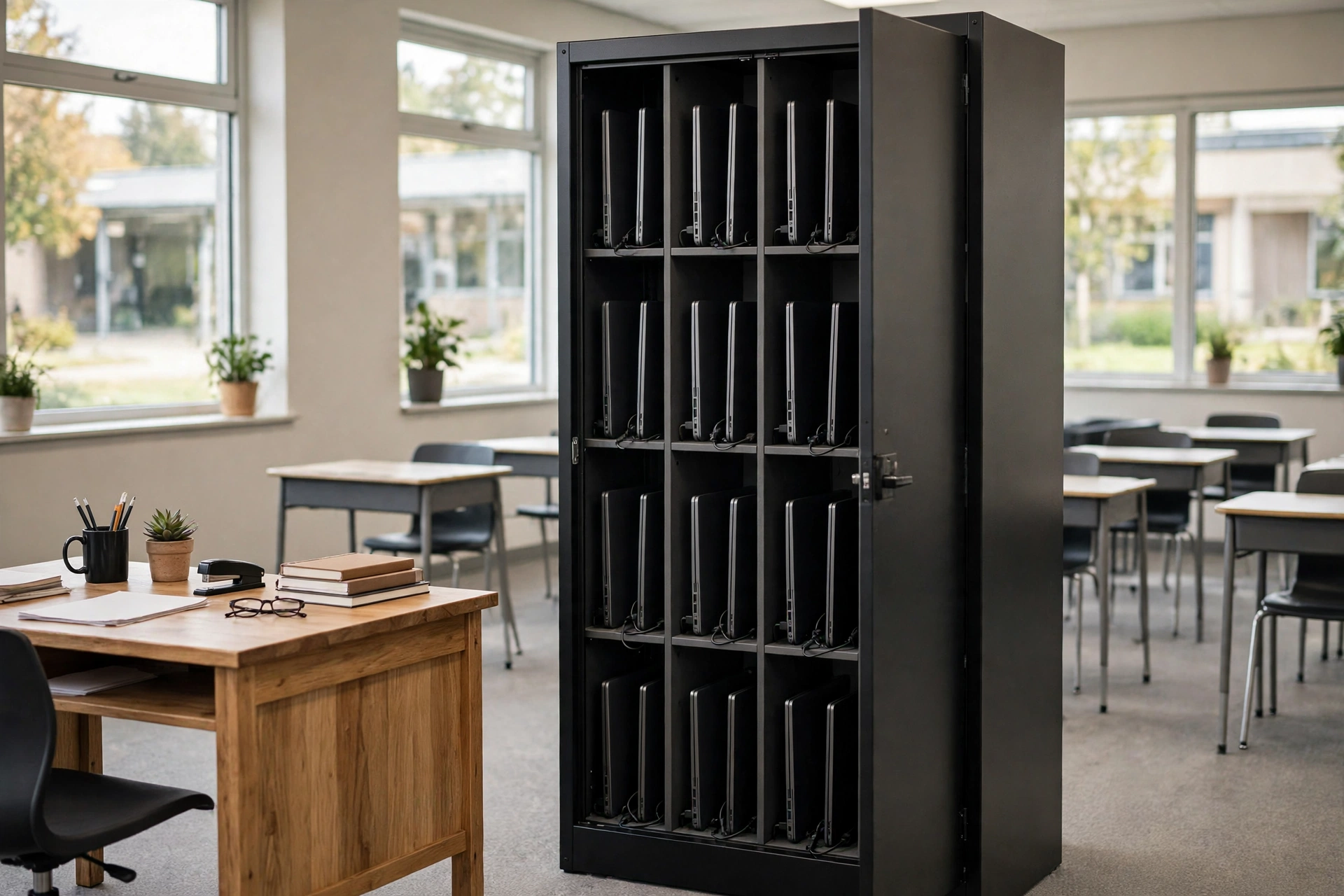
Four school scenes that sold me on this charging cabinet for classroom use
1. The morning scramble. Before the cabinet, Monday mornings started with me speed-walking around the room checking which Chromebooks had actually been plugged in on Friday afternoon. They never all were. Now every device lives in the cabinet overnight, every slot has a cord, and the routine is: unlock, hand out, teach. My coffee stays hot through first period.
2. The wandering charger problem. Chromebooks are cheap; their power bricks are not — replacements run $25 to $40. We lost four bricks in the first month, tangled behind bookshelves and under cubbies. Since the chargers moved into the cabinet’s top cover and never leave it, brick attrition has been exactly zero for three months.
3. Summer and break storage. A locked steel cabinet is where $2,700 of hardware sleeps over long weekends and breaks. Schools think about device security more than they would like to admit. This box will not stop a determined adult with tools, but it stops casual opportunism — and casual opportunism is the cause of most school device loss.
4. The shared-device classrooms. Our art teacher borrows the class set twice a week. Borrowing used to mean a canvas bag of bricks and a prayer. Now the kids carry four devices over and the setup takes two minutes, because the cords stay home in the cabinet. This model has no wheels — it is a charging cabinet, not a rolling Chromebook charging cart — but if it never leaves your wall, wheels are money you do not need to spend.
The math: about $24 a slot, and why that number matters
$388.88 divided by sixteen slots works out to about $24 per device — rough math, flagged as rough. One refurbished Chromebook cost the district roughly $170. One lost Chromebook costs seven times what its slot in the cabinet cost. One replacement power brick at $25 to $40 costs more than a slot too. When I laid that out at the PTA meeting, the cabinet stopped being “furniture” and started being “insurance.”
The alternative is a full rolling Chromebook charging cart from the education suppliers. The big names run $900 to $1,500 for sixteen devices, and the models with timers and power management go higher. We paid roughly a quarter of that. The trade-off is real — no wheels, no timer, and you supply your own power strip — but for a classroom where the cabinet never moves, it is the right trade.

Setup took one afternoon — and zero tools
The box arrived on a Tuesday. I unboxed it in the school hallway in about ten minutes, because the cabinet ships fully assembled — all 53.9 pounds of it, ready to work the moment it comes out of the box. Then came the only real work: the chargers. Sixteen bricks, sixteen cords. I labeled each cord with a strip of masking tape and a number matching its slot — a tip from someone who learned the hard way: do this at your kitchen table, not leaning over a classroom floor.
The cords thread down through the cable circles, the bricks tuck into the top cover, and the top closes over the whole nest. Total setup time was about an hour, most of it untangling the box of chargers the school had been keeping. By 4 pm the sixteen Chromebooks were slid in, plugged, locked, and charging. The next morning: sixteen green battery icons. I have bought enough school equipment to know how rare that feeling is.
Three months later: the honest daily report
It is December as I write this, so we have had roughly three months of school days. Here is the honest ledger.
Charging reliability: perfect. Sixteen devices, sixteen cords, zero “mine didn’t charge” incidents since setup day. The cable circles keep cords from creeping out of reach, which is the failure mode nobody tells you about.
Lock use: every afternoon, no exceptions. The door lock is a simple key lock. It keeps kids out, not thieves with tools — and that is the right threat model for a classroom.
Fit: comfortable. Our Chromebooks are 11.6-inch models, well inside the 14-inch, 1.2-inch-thick limit. But measure your actual devices: a 15.6-inch laptop will not fit, and a gaming laptop with a fat battery won’t squeeze between the dividers either.
The steel dividers: they look thin, but they have survived three months of kids sliding devices in and out twice a day. No bending, no wobble.
One thing I would change: I wish it had wheels. Not a big wish — it lives against a wall — but when we repainted in October, moving 54 pounds of steel plus sixteen devices was a two-person job. Pick your wall spot once.
Buying guide: what to check in any laptop charging cabinet
If you are shopping for a locking laptop storage cabinet for a classroom, library, or office, run through this checklist before you click buy:
- Slot count versus device count, plus two spare. Sixteen slots for sixteen devices leaves no room for the teacher’s spare or the one that comes back from repair. Think about whether you need room to grow.
- Device size limit. Here it is a 14-inch screen and 1.2-inch thickness. Check your actual device against the actual numbers, not “should be fine.”
- Locking. A cabinet without a lock is a charging shelf. Make sure the lock covers the device compartment, not just the cable area.
- Cable management. The chargers must live inside the unit. If cords dangle, nine-year-olds will find them.
- Assembly. This one ships fully assembled. Multiply the listed assembly time of any competitor by your actual patience.
- Weight and footprint. At 53.9 pounds and about one square foot of floor, make sure your wall spot is real — you will not move it often.
The industry numbers: why every school is buying a 16 slot charging station
This is not just my classroom. Chromebooks have held roughly half or more of U.S. K-12 computing device shipments for years — analysts at Futuresource put their share around 60% at the 2020–2021 peak — and Google reported over 30 million students and educators using Chromebooks and Google Workspace for Education back in 2020. Tens of millions of devices that all need to charge, somewhere, every night. Districts that once bought carts by the truckload are now filling classrooms with exactly this kind of cabinet: cheaper, simpler, and harder to steal from.
Rough math on the scale, flagged as rough: a 500-student elementary school with a one-to-two device ratio buys around 250 devices. At about $24 per slot in a cabinet like this one, secure charging for the whole school lands under $6,500 — less than the price of replacing forty lost devices. Sharpen the pencil all you like; the shape of the math does not change.
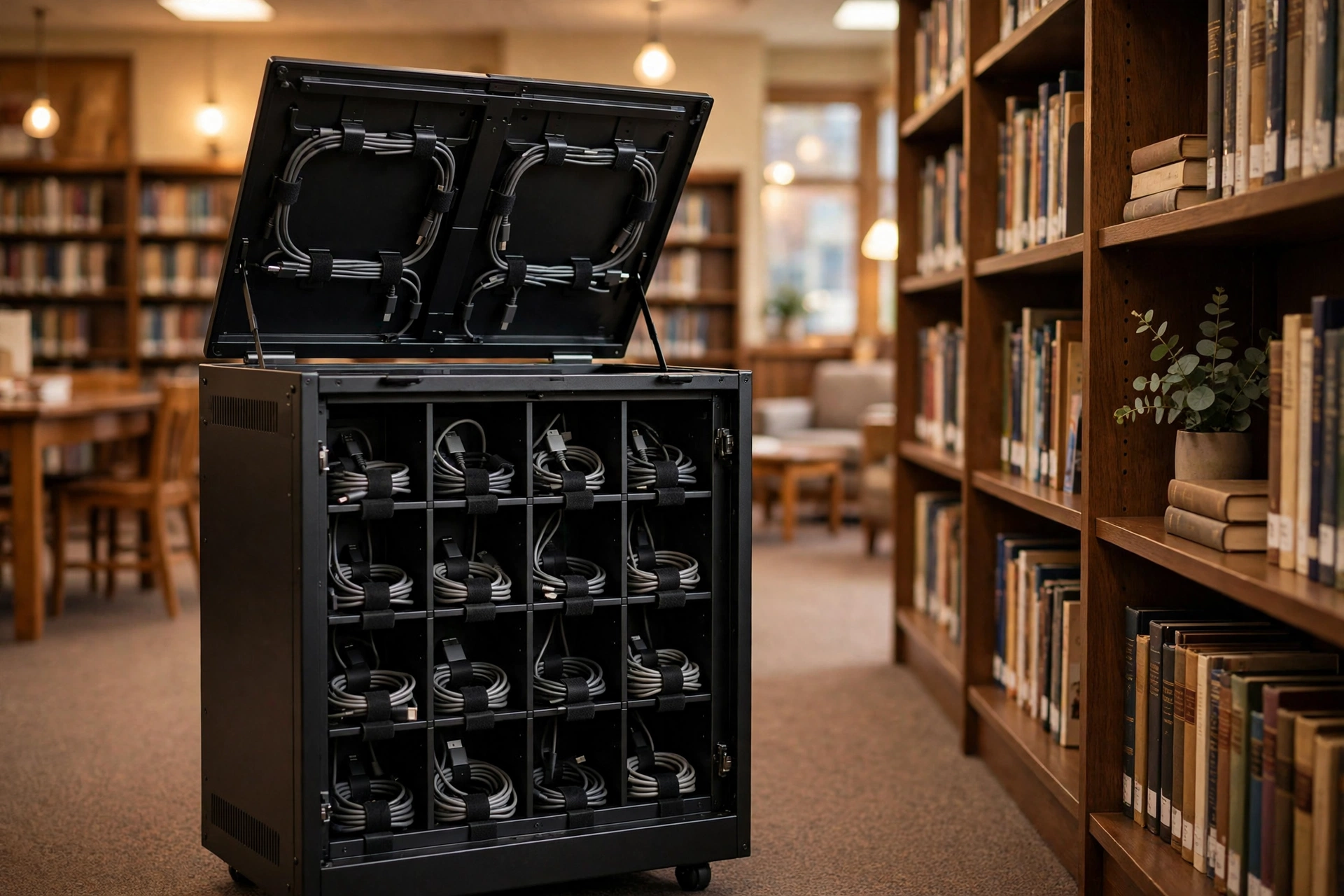
Verdict: the best $389 the PTA never voted on
This came out of classroom funds rather than my own pocket, so let me say it the way I said it at the November PTA meeting: of everything we have spent on the Chromebook program, the laptop charging cabinet has the best cost-to-headache ratio. It ended the charger spaghetti, the morning scramble, and the slow bleed of lost power bricks. The sixteen devices live in it, charge in it, and lock in it — and three months in, the only maintenance has been wiping dust off the top cover.
If your classroom, library, or training room has a set of shared devices and a tangle of cords to show for it, this is the fix. Measure your devices first — 14 inches and 1.2 inches thick is the hard ceiling — pick your wall spot once, label your cords, and give yourself an hour. Then enjoy the small miracle of sixteen green battery icons on a Monday morning. For bulk orders, the store notes that FLNORW MALL customer service runs Monday to Friday and handles quantity purchases — worth a message if you are outfitting a whole school.
See the cabinet: 16-Compartment Locking Charging Cabinet for Laptop & Chromebook — $388.88